 BudBudBudBud
GAMING THAT IS
Meet BudBud, the best AI gaming assistant and voice assistant for gamers. Get hands-free gaming help with context-aware assistance, automatic game detection, and in-game screenshot recognition - all without pausing your game.
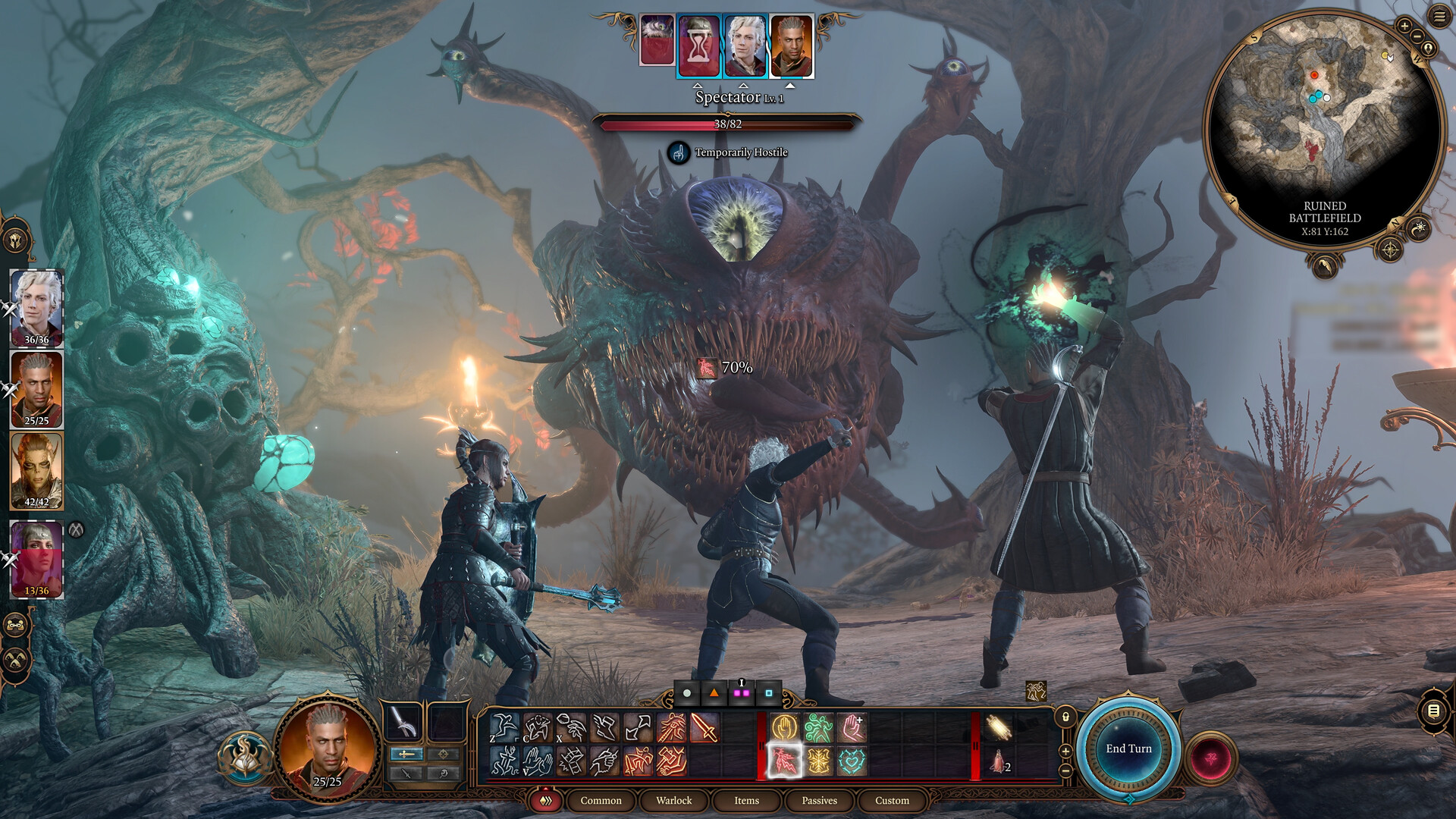
"Its main weakness is its low AC and lack of resistances, making it vulnerable to focused melee pressure."
"What is the weakness of the Spectator?"


Best AI Gaming Assistant Features
Revolutionary voice assistant gaming features designed to enhance your gaming experience
Hands-Free Gaming Help Assistant
Ask questions without leaving your game using voice commands. Simply say "Hey BudBud" for instant AI gaming assistant responses while maintaining full gameplay control.
BudBud Game Detection Assistant
Advanced AI automatically identifies what game you're playing to provide relevant, context-aware gaming assistance. No manual setup required.
In-Game Screenshot Recognition Assistant
Context-aware gaming assistant tool that analyzes your screen in real-time, understanding your inventory, quests, and game state for precise help.
Best AI Voice Assistant for Gamers
Get immediate answers to gaming questions without pausing. The fastest voice assistant gaming solution designed specifically for uninterrupted gameplay.
Always Up-to-Date Gaming Knowledge
Continuously updated database from wikis, forums, patch notes, and Reddit ensures current strategies and meta information for all supported games.
Multi-Game Support Assistant
One gaming assistant application works across all your games, automatically switching context when you change titles for seamless assistance.
Hands Free Notes
Create and manage gaming notes using voice commands. Capture strategies, quest progress, and important game information without interrupting your gameplay.
Game Overlay for Ease-of-Use
Intuitive game overlay interface that provides quick access to BudBud features without leaving your game window. Seamlessly integrated for maximum convenience.
Support Links for Additional Help
Direct access to comprehensive gaming guides, tutorials, and support resources. Get help beyond voice assistance with curated links and documentation.
How BudBud Works
Simple, seamless, and powerful
Say 'Hey BudBud'
Activate the voice assistant while gaming with a simple voice command. No need to alt-tab or pause your game.
Ask Your Question
BudBud automatically detects your game and can use screenshots for context, understanding exactly what you need help with.
Get Instant Response
Receive immediate voice answers without leaving your game, keeping you in the action while getting the help you need.
Say 'Hey BudBud, take a note'
Activate note-taking mode with a simple voice command while playing. No need to stop gaming or switch windows.
Speak Your Note
Dictate your strategy, quest progress, or important tips. BudBud captures everything accurately while you continue playing.
Access Anytime
Your notes are automatically saved and organized by game. Easily review them later or during your next gaming session.
Supported Games
BudBud works with your favorite games
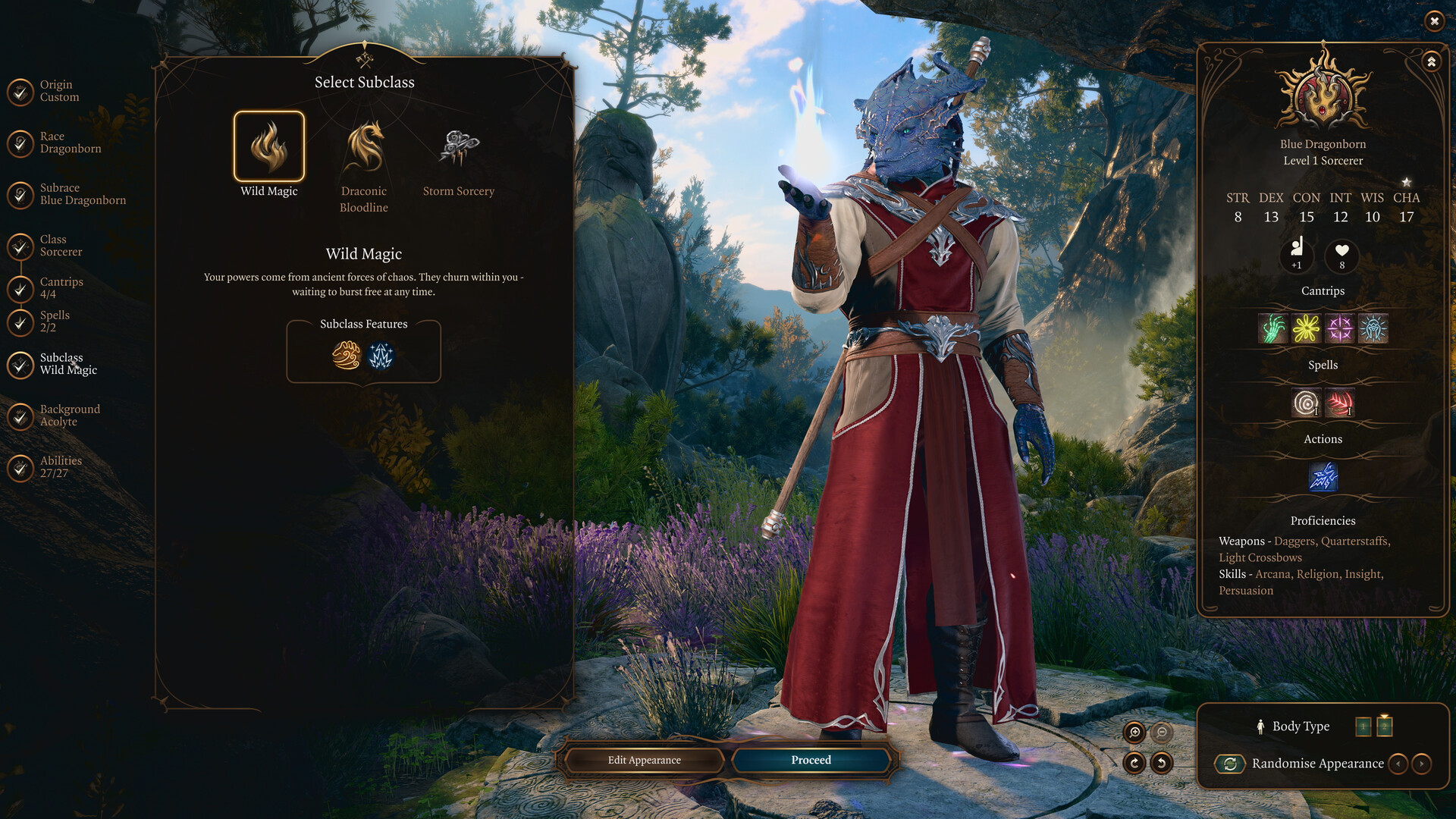
Baldur's Gate 3
RPG
Baldur's Gate 3
Elden Ring
Action RPG
Elden Ring
Persona 5 Royal
JRPG
Persona 5 Royal
Subnautica
Survival
Subnautica
Final Fantasy XIV
MMORPG
Final Fantasy XIV
Factorio
Simulation
Factorio
Built by Gamers,
for Gamers
Founded by passionate gamers and IT professionals from Waterloo, Ontario. With over 25 years of combined experience in software development, artificial intelligence, and gaming technology, we set out to revolutionize how gamers access information. Our mission is to create seamless, intelligent solutions that enhance the gaming experience without interrupting the flow of gameplay.
"We experienced firsthand the frustration of having to leave our games to search for answers, and we knew there had to be a better way."
Ishaq Khan
Co-founder
Omid Ghiyasian
Co-founder
Eiman Basirati
Co-founder
Frequently Asked Questions
Everything you need to know about BudBud AI gaming assistant
Simply say 'Hey BudBud' followed by your question while playing any supported game. BudBud automatically detects what you're playing and provides context-aware answers without requiring you to pause or alt-tab out of your game.
BudBud is specifically designed for gamers, offering hands-free gaming help with advanced features like automatic game detection, in-game screenshot recognition, and context-aware responses. Unlike general voice assistants, BudBud understands gaming terminology and provides relevant gaming assistance.
BudBud's game detection assistant automatically identifies which game you're currently playing using advanced AI technology. It analyzes your screen and game processes to provide accurate, game-specific assistance without any manual setup required.
BudBud's screenshot recognition technology analyzes what's happening on your screen in real-time. This context-aware gaming assistant tool can see your inventory, quest log, map location, and other game elements to provide precise, situational advice.
Use the voice activation feature by saying 'Hey BudBud' while gaming. This hands-free gaming help assistant responds to voice commands instantly, allowing you to get answers while maintaining full control of your character and gameplay.
BudBud supports a wide range of popular games including RPGs, MMORPGs, strategy games, and action games. The AI gaming assistant continuously learns and adds support for new games. Check our website for the most current list of supported titles.
If BudBud isn't recognizing your game, try: 1) Ensuring the game is running in fullscreen or windowed fullscreen mode, 2) Checking that BudBud has screen capture permissions, 3) Restarting both the game and BudBud, or 4) Contacting our support team for assistance with specific games.
You can find reviews and testimonials on our website, gaming forums, and from gaming content creators who have tested BudBud. We encourage users to share their experiences with our context-aware gaming assistant tool.